
 RoutrGet Routr
Choose the calls your team knows
A play wristband lets a player look up a call on the field. Start with the plays you expect to use this week. Keep the set small enough that your players know the formations and assignments before they need the card.
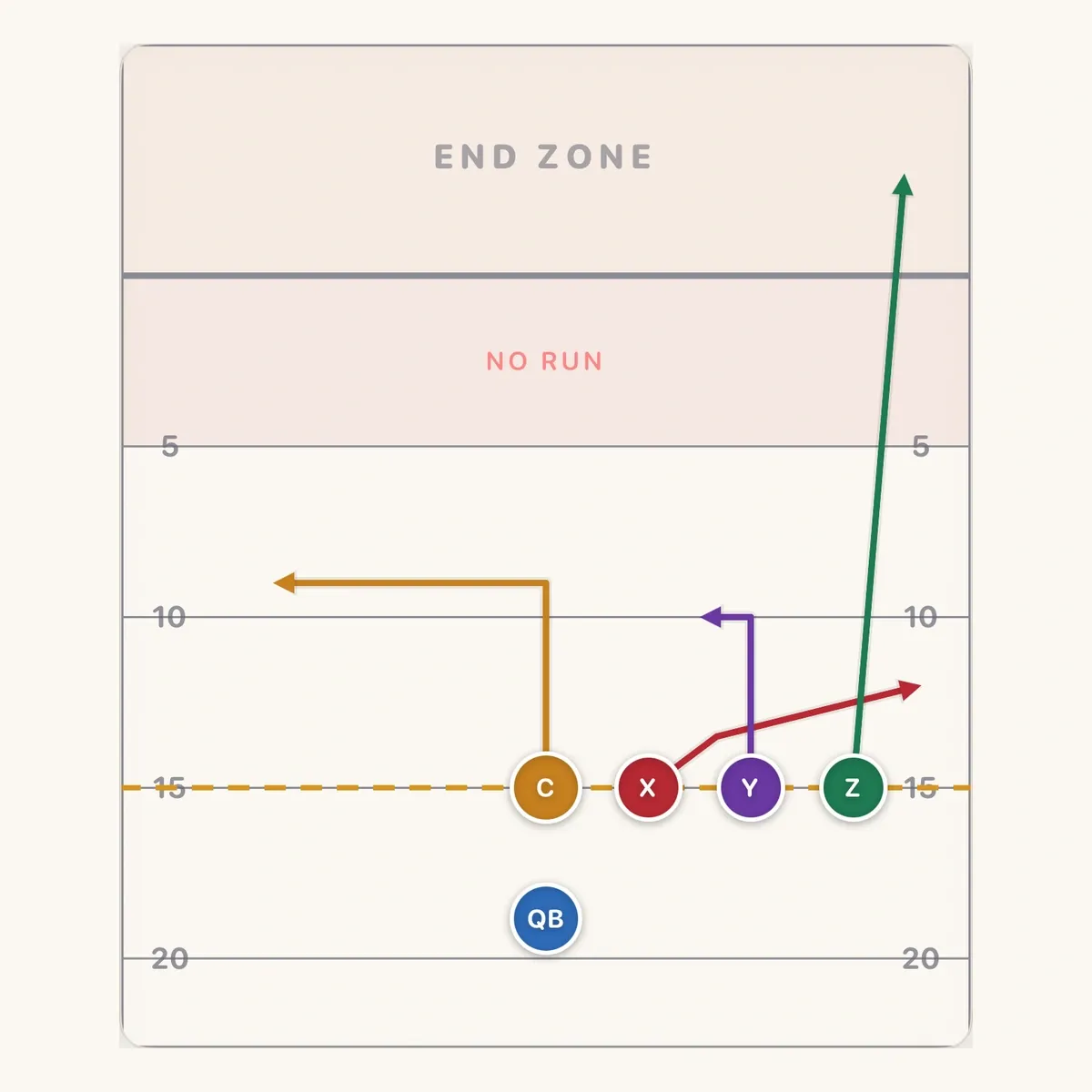
Use Trips Stick, Mesh Drive and Center Pivot as a simple starting group. Trips Stick gives the quarterback a flat-defender choice. Mesh Drive starts with the crosser separating from a defender. Center Pivot starts with C turning back toward the empty side.
Walk each play before putting it on a wristband. Ask players to find their letter and describe the route. If a receiver cannot explain the first turn, work through that assignment again. A small diagram is easier to use when the player already knows what it means.
Give every call a consistent number
Choose a number for each play and use it on the call sheet, wristband and practice plan. Routr supports play numbers, so keep the same number attached to the play as you organise the set. Avoid giving two different calls the same reference in the week’s group.
Say the number aloud during practice. The player looks it up, finds the formation and gets ready for the snap. If two calls sound too similar across the field, change your naming convention before game day. Your players should spend their attention on the alignment and defense.
Keep a clear difference between the play number and route depths. A card labelled with a call number still needs the receiver to know where the route breaks. Teach those details with the full diagram before using the compact reference.
Keep the quarterback’s read clear
On Trips Stick, Y turns at 5 yards while X widens into the flat near 3. The quarterback watches the flat defender: throw Y when that defender widens, X when the defender sits, then C on the dig. Keep that decision attached to this play’s name and number.
For Mesh Drive, the first read is a moving crosser. X crosses at 4 yards and Z at 6. Your quarterback leads whichever receiver separates, then looks to C and Y. Practise that moving throw instead of reading every wristband call as a stationary target.
For Center Pivot, the first throw goes to C after the change of direction. C takes three hard steps toward trips before turning back. Keep your coaching words consistent from the practice field to the card, so the quarterback remembers when to release the ball.
Choose the right card for the player
Routr Pro exports QB and player wristband layouts at real band sizes. Use the quarterback version when you want the passer to work from that layout, and the player version for the receivers. Compare both with the information each player needs during a call.

Read the sample from left to right. The number is what you call out. The name under it tells the quarterback which play it is. The diagram shows every route, so the passer can check the read before the snap.
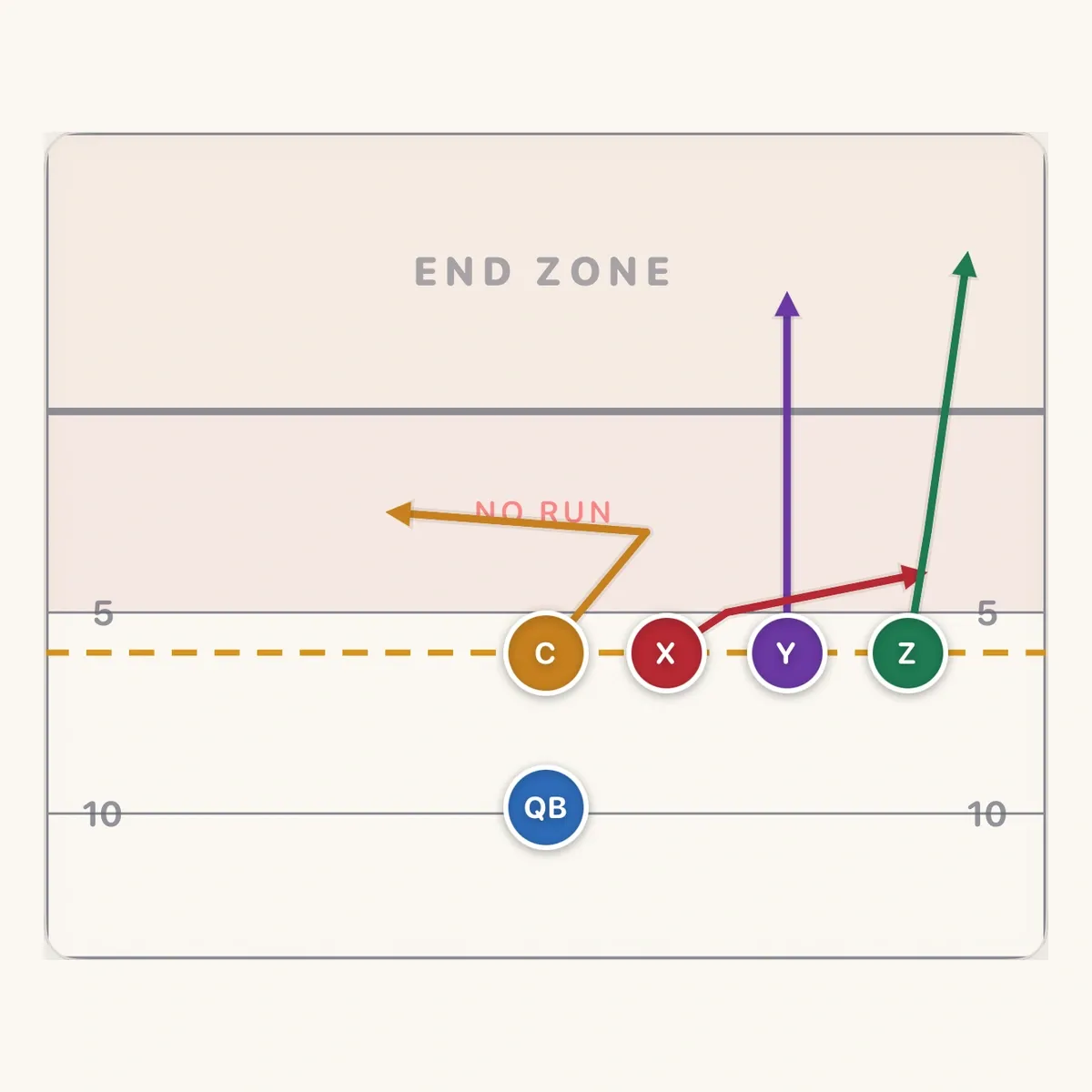
Check the player letters and route lines at the size they will be worn. A receiver should be able to find the starting position and first break without turning the band around repeatedly. If the card is crowded, simplify the week’s set before printing more copies.
Export and check one card
- Choose the plays. Select this week’s calls, assign their play numbers and pin them in Game Day. Check that each edited route has the right name and read.
- Export the cards. In Routr Pro, use the QB or player wristband export and choose the appropriate available band size.
- Check the output. Print one card, place it inside the band and read it at arm’s length. Check the fit, route labels and edges before printing the full set.
Keep the printed page beside the screen while checking the result. Make sure the diagrams match and that no part of a route or label is cut off. If the print driver changes the scale, correct that setting and repeat the single-card check.
Replace old cards after an edit
When you change a route, update the card before using the play again. A familiar name can hide a different assignment if one player is reading last week’s printout. Collect or mark the older copies so everyone practises the same version.
Routr 3.0 lets you send a folder as a playbook file through AirDrop, Messages or Mail. Pro is required to send, and another coach can open it in Routr for free. The receiving coach gets a copy of the plays. Tell that coach when you have changed a call so they can replace their printed cards too.
Practise the lookup before the game
Finish a practice by calling numbers from the sideline. Players find the card, line up and point out their first route landmark. Start slowly, then repeat with the normal distance between you and the huddle.
Include a call change so the group practises returning to the band without confusion. Keep your voice, hand signal or number convention consistent. Once the players can find the call, run it against a defense and check that their spacing survives the lookup. Compare Free and Pro features when you are ready to export the set.